Live Display Options
TIME2WIN delivers all results or intermediate results live. (assuming a stable internet connection is available across the event site)
Standard Live Data
Live Online Results - included
All results are shown live on the TIME2WIN website for participants and spectators. The website can also be displayed on screens, displays, or LED walls; however, it is primarily designed for individual use on smartphones and computers and is therefore not the most suitable solution for large-format result displays.
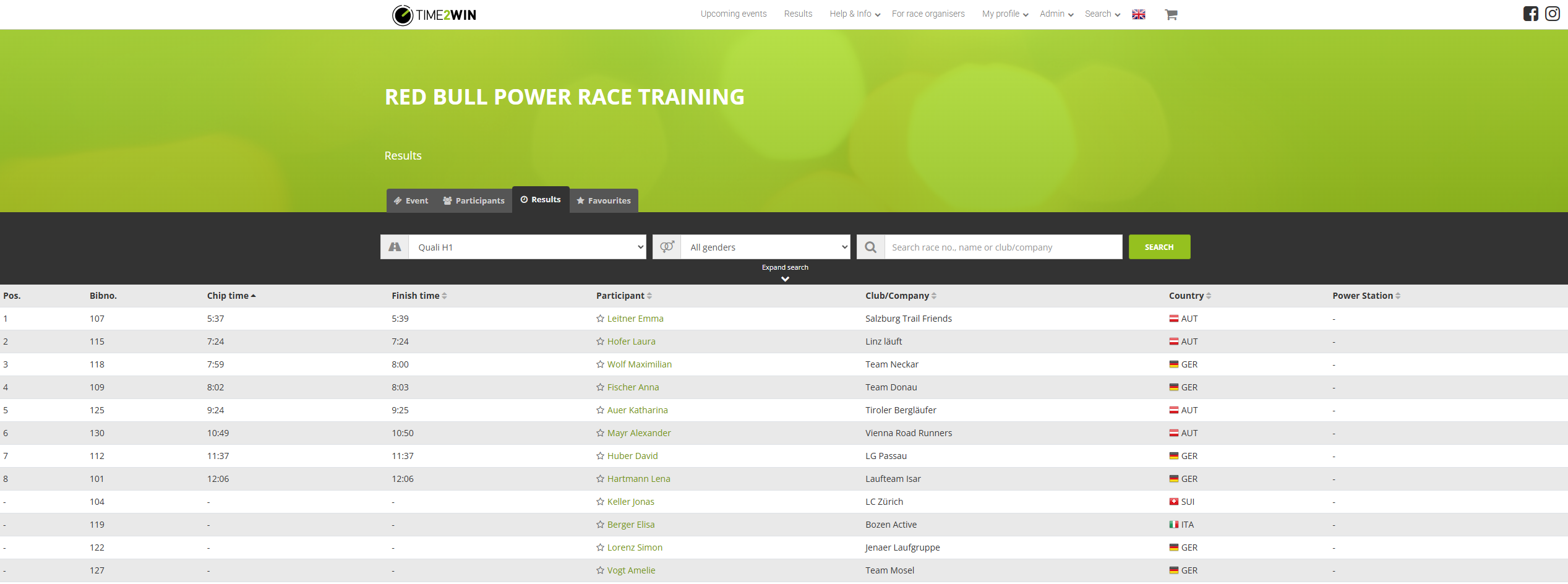
Examples:
Participant List: https://time2win.at/event/1063/participants?round=8020
Participant List (Embed View): https://time2win.at/event/1063/embed/participants?round=8020
(dropdown to select the heat)
Result List per Heat:
https://time2win.at/event/1063/results?round=8020
Result List per Heat (Embed View): https://time2win.at/event/1063/embed/results?round=8020
Leaderboard per Heat:
https://time2win.at/event/1063/leaderboard
Leaderboard per Heat (Embed View):
https://time2win.at/event/1063/embed/leaderboard
Commentator View (Speaker) - included
TIME2WIN provides a web-based commentator view with a direct local WebSocket connection to the TIME2WIN timing software. This interface provides the fastest possible delivery of live passings and leaderboards, making it ideal for commentators who require real-time race information.
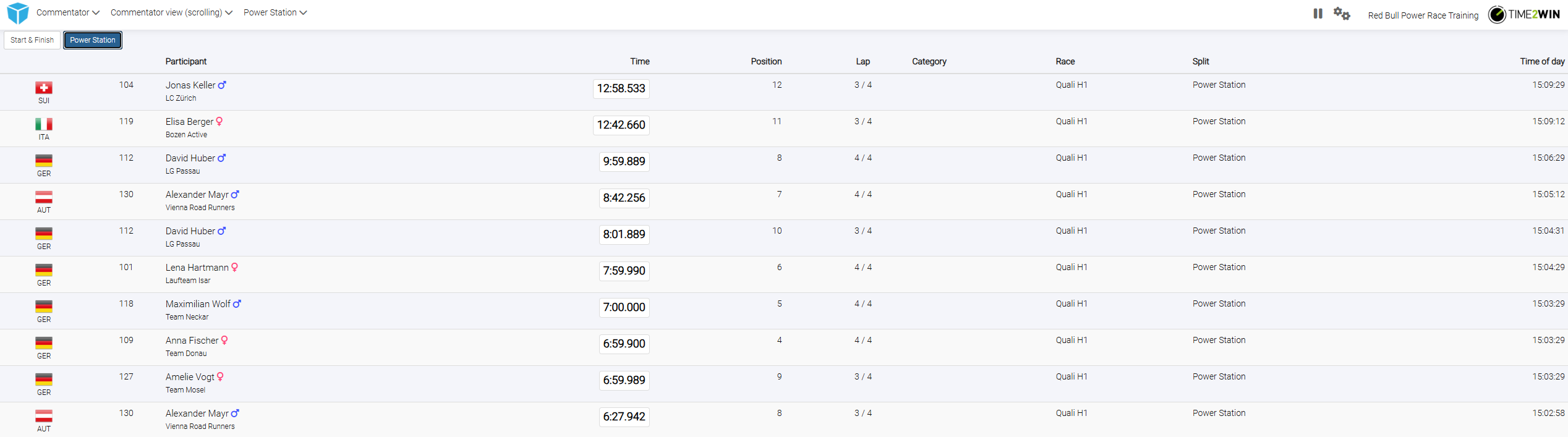
The commentator view can also be displayed on screens or LED walls. However, it has a fixed layout and cannot be individually customized or adapted with event-specific branding.
The commentator view can show the passings of a specific split or the live leaderboard of a specific heat including the running clock in the lower section of the view.
Customized Results & Views for Screens/LED
TIME2WIN can deliver professional, customized views of results, participant lists or other defined data using TIME2WIN LED control system or broadcasting graphics as overlays for a livestream.
Upon request this option could be booked in addition to the standard agreement of Power Race. (Price based on defined views)
Check here for more information about it:
https://help.time2win.at/organizer/timing-at-the-event/ledwall
It is important to understand that TIME2WIN delivers the view/pages but is not controlling which views are shown on which screen at which time. This event organizer is in charge of arranging a person to control the display system.
TIME2WIN does not deliver the hardware to display the views. All views are webbased and hardware to display has been set by the organiser. TIME2WIN is delivereing web-urls --> no devices, no cables connected to time2win system.
Data API
TIME2WIN is providing its live data in an API.
Documentation: https://time2win.at/developer/api/swagger
Upon request TIME2WIN could deliver API key for the requested event.
With that option views created outside of TIME2WIN can be powered with live data from this API.
Was this article helpful?
Your feedback helps us improve the docs.