Customized Display Output System
This article summarizes the currently defined TIME2WIN system outputs, customization options and reference implementations for the LED / leaderboard display. Please be aware that non of the below mentioned options are covered by the initial contract and are only available upon request and with upcharge to the national organiser.
Available TIME2WIN System Output
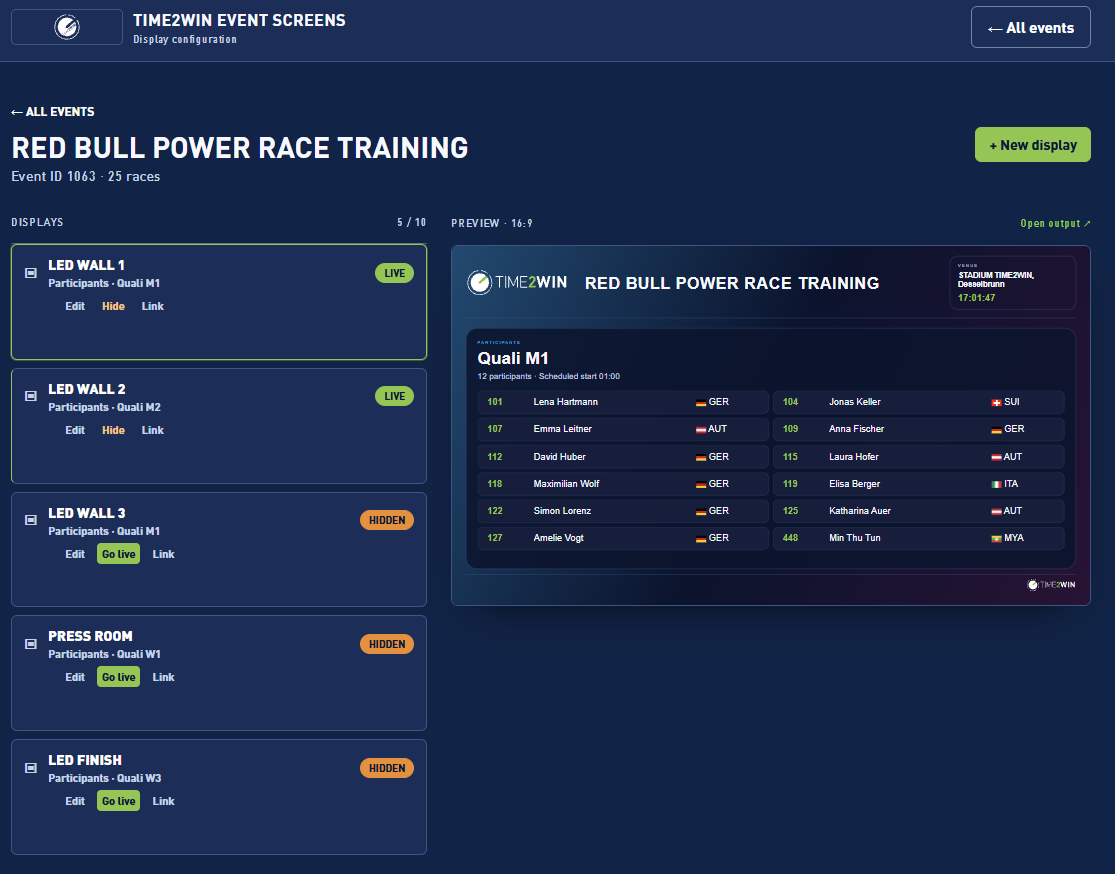
Heat Participant Lists
Participant lists are available for each individual heat. This data can be used flexibly for different display scenarios, including:
· Current Heat
· Next Heat
· Upcoming Heats
The output can include relevant participant information such as participant names and bib numbers.
Live Rankings – Current Heat
TIME2WIN can provide a live ranking for the currently active heat. The ranking is continuously updated based on intermediate timing points and therefore allows the current race order to be displayed even before any participant has crossed the finish line.
Live Passings
TIME2WIN can provide live passings from a selected timing point. For the LED screen, this can for example be used at the finish line to immediately display participants as they cross the selected timing point.
Overall Rankings
TIME2WIN can provide overall ranking information for different stages of the competition, including:
· Heat winners – Male
· Heat winners – Female
· Fastest times relevant for qualification to the National Final
· Final rankings
The exact ranking logic and categories displayed can be configured according to the competition format.
Heat Schedule – Open Point
The integration of the Heat Schedule still needs to be defined. It needs to be decided whether the Heat Schedule will be provided as static/predefined content based on the event run-down, or generated dynamically from a defined data source.
If the schedule is based on a predefined event run-down, the content could potentially be prepared in advance while still allowing adjustments according to changes made on the event site.
To be clarified:
· What is the authoritative data source for the Heat Schedule?
· Does the schedule need to update dynamically?
· Should TIME2WIN provide the schedule data, or will Voodoo manage it as predefined
LED content?
· How should last-minute schedule changes on event site be handled?
Customization Options & Design Requirements
The LED graphics and leaderboard screens can be fully customized according to the event's visual identity and design requirements. TIME2WIN recommends using the same basic technical and visual structure for all screens to ensure consistency across the different LED outputs.
Recommended Base Format
· Resolution: 1920 × 1080 px
· Static Frame & Background: One static 1920 × 1080 px image containing all fixed visual elements such as header, background, footer, logos, branding elements and other static graphic elements.
The dynamic TIME2WIN content is then displayed on top of this static base design.
Provision of Dynamic Content Design
· HTML/CSS: Preferred where available. Voodoo can provide the prepared HTML/CSS layout as a reference for implementation.
· Graphic Mockup / Image: Alternatively, Voodoo can provide a visual mockup showing exactly how the dynamic content should appear.
TIME2WIN will implement the provided design as closely as possible using the available HTML/CSS capabilities of the TIME2WIN output system.
Example – Recommended Screen Structure
The example below illustrates the recommended basic structure for a 1920 × 1080 px LED output. The marked areas show the separation between the static design elements and the dynamic content area.
· Header: Static area provided as part of the background/frame design.
· Content Area: Dynamic area used by TIME2WIN to display live or predefined content.
· Footer: Static area provided as part of the background/frame design.
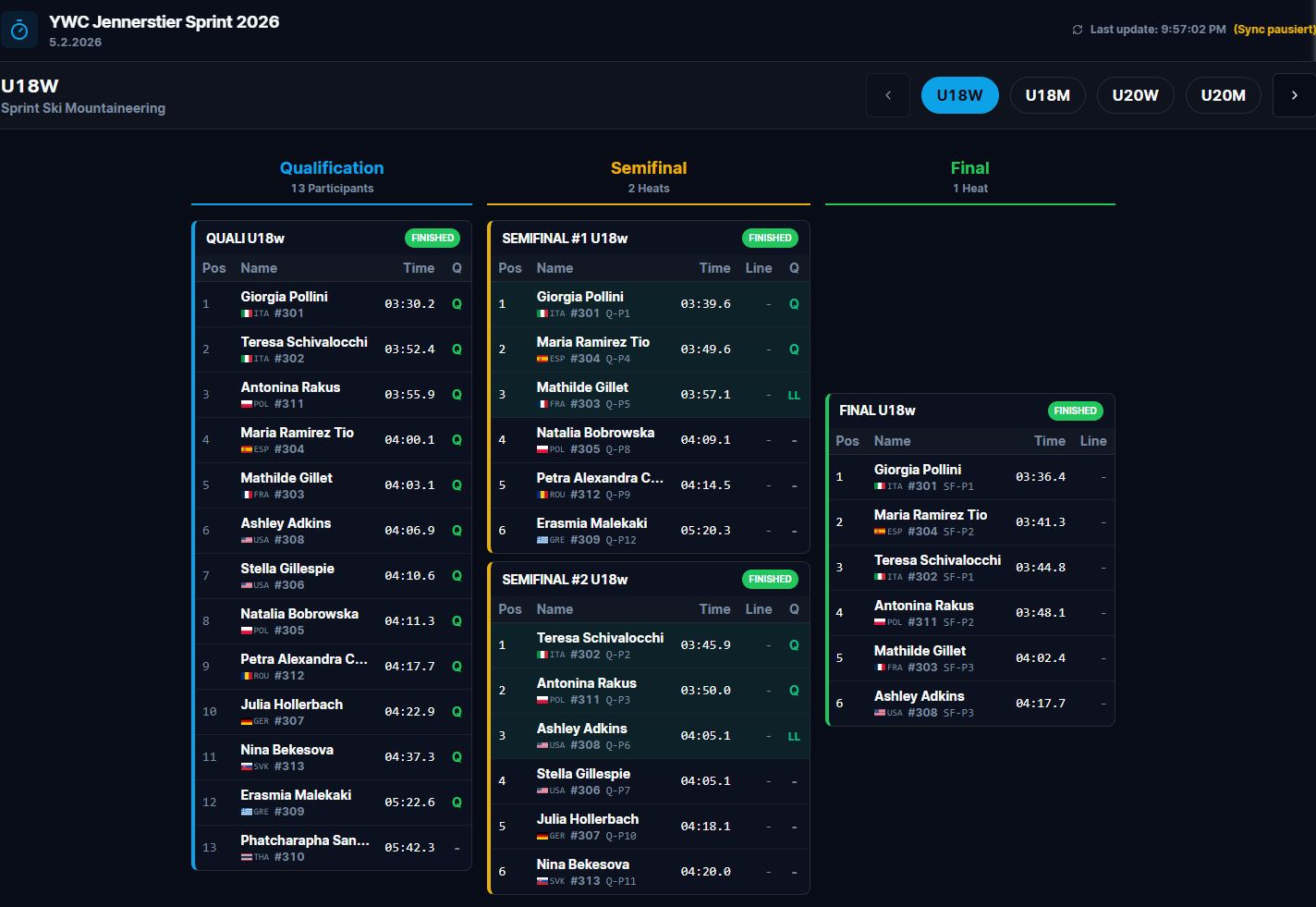
Example of a competition overview showing qualification, semifinals, final, participant rankings, times and qualification status.
The borders are for illustration purposes only. The exact dimensions and visual appearance of these areas need to be defined individual. Header and footer do not need to have the same dimensions as shown in this example.
TIME2WIN recommends providing the complete static frame/background as one 1920 × 1080 px image. The dynamic content within the designated content area will then be generated and populated by TIME2WIN based on the selected system output.
Individual Heat / Race Result
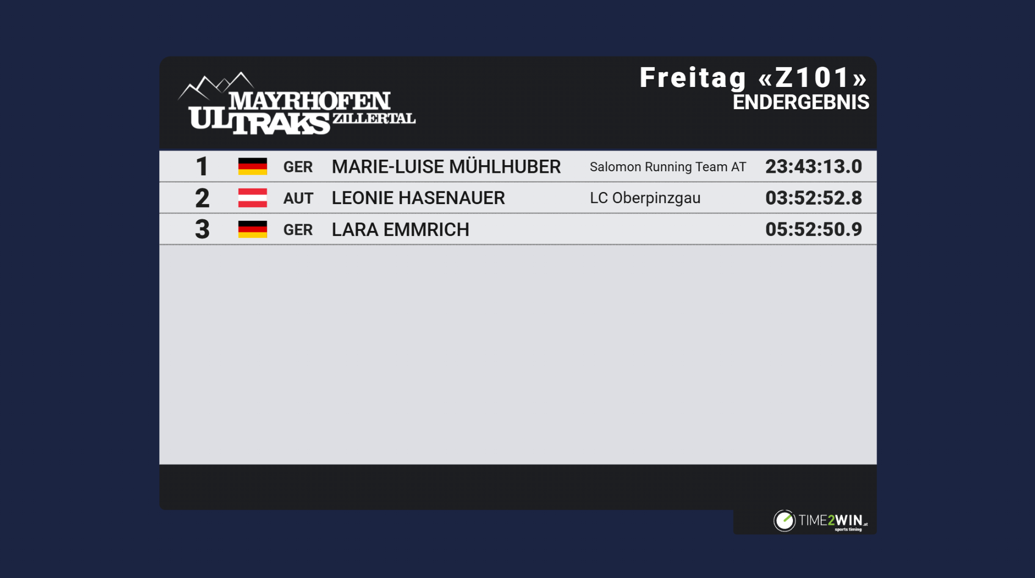
Example of a compact result output for a single heat or race. The design, number of participants, columns and participant information can be adapted.
Multiple Upcoming Heats
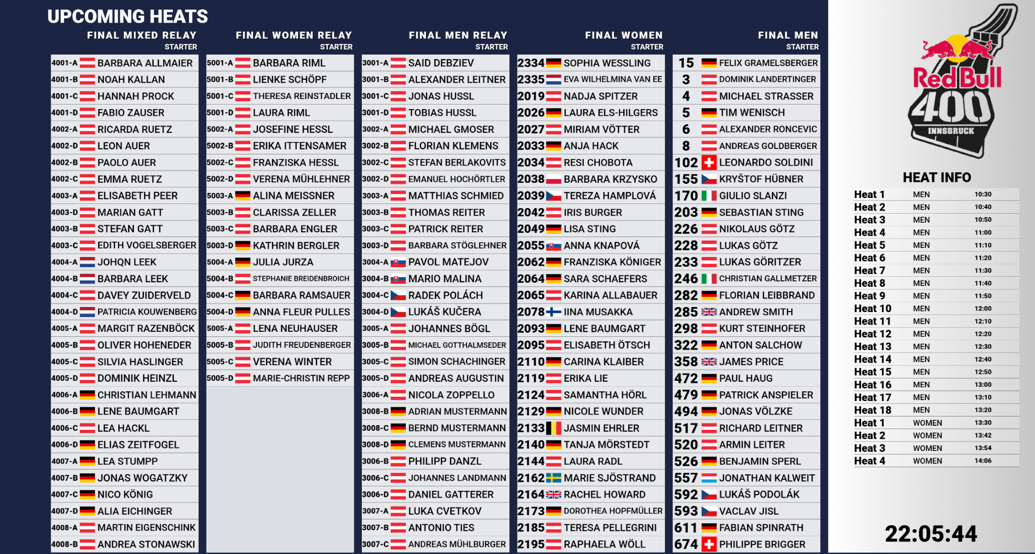
Example showing several upcoming heats and their participants simultaneously, suitable for use between heats.
Customized Participant / Ranking Display
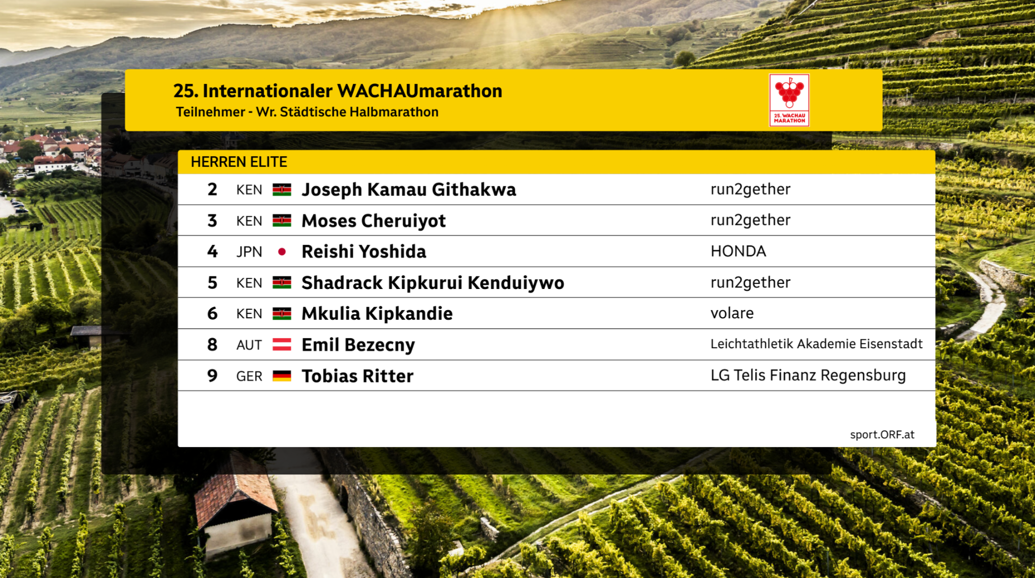
Example of a highly customized participant/ranking display using event-specific background, branding and layout.
General Principle
These examples demonstrate the flexibility of the TIME2WIN output system. Voodoo does not need to follow any of the shown designs. The examples can be used as references for the type and structure of information that can be displayed.
For Red Bull Power Race, Voodoo can define its own visual concept and provide the corresponding static 1920 × 1080 px background/frame and the desired layouts for the dynamic content areas. TIME2WIN will then implement the required dynamic data outputs as closely as possible according to the provided design using HTML/CSS.
Was this article helpful?
Your feedback helps us improve the docs.