Disounts & Voucher
Find all information regarding voucher, free-entries and discounts for events.
Create a Voucher/Discount
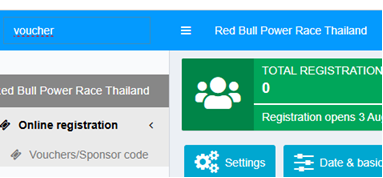
Choose “Vouchers/Sponsor code” in backend
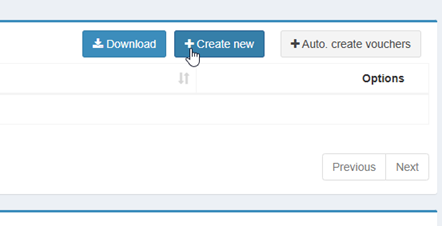
Click “create new” (top right)
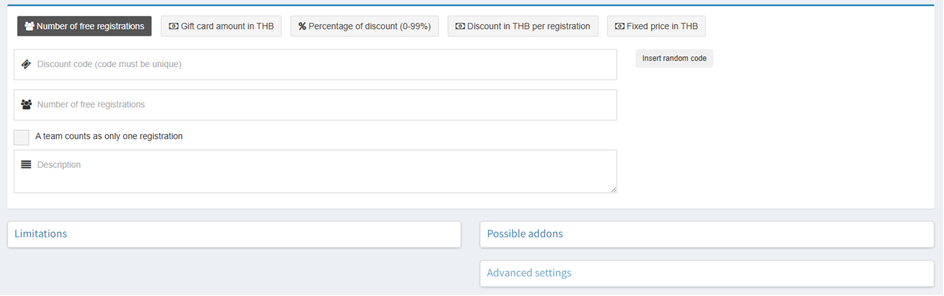
Types of Voucher/Discount
Number of free registration
Use this voucher type to grant a participant a free entry, regardless of the registration fee or race selected:
Click "Insert Random Code".
Set "Number of Free Registrations" to 1.
Save the voucher.
Recommendation: Create a unique voucher code for each participant to prevent misuse.
The Description field is not visible to participants. Use it to record the reason for creating the voucher or the name of the intended recipient.
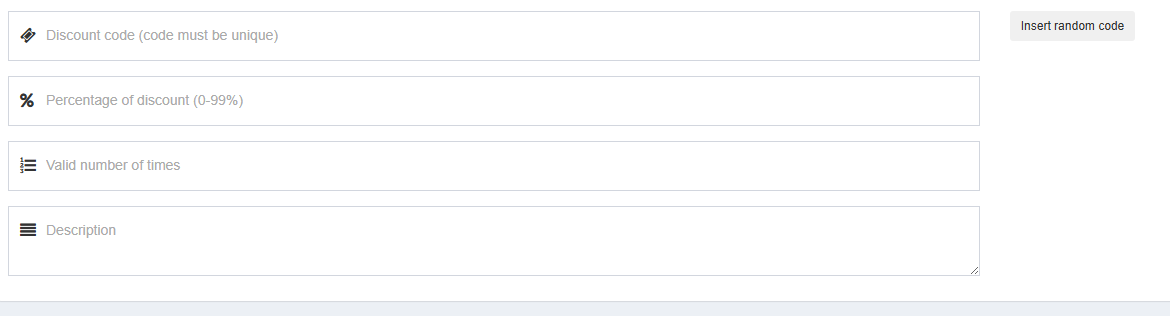
% Percentage of discount (0-99%)
Use this voucher type to apply a percentage discount to the registration fee.
Click "Insert Random Code".
Enter the desired discount percentage (0–99%).
Specify how many times the voucher can be redeemed.
This type of voucher is typically used for marketing campaigns or promotions and is often intended for multiple uses. Therefore, set the number of allowed redemptions accordingly.
The Description field is not visible to participants. Use it to record the purpose of the voucher or any internal notes.
Review used voucher codes
In the overview of voucher codes you can see the status of uses for any voucher code.
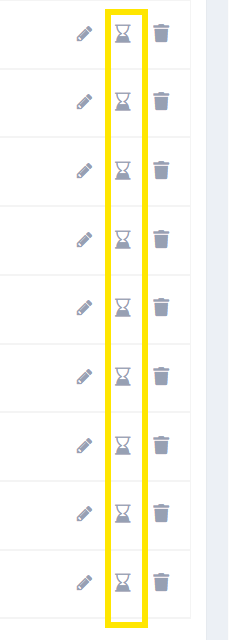
Furthermore details about who used the voucher code could be displayed by cklicking the hourglass symbol beside the voucer code which will display the order(s) which you can review in detail.
Was this article helpful?
Your feedback helps us improve the docs.